

Listing your App
Where users find your app
Your app appears in two key locations:
- Webflow Marketplace - The primary discovery hub where users browse and explore apps
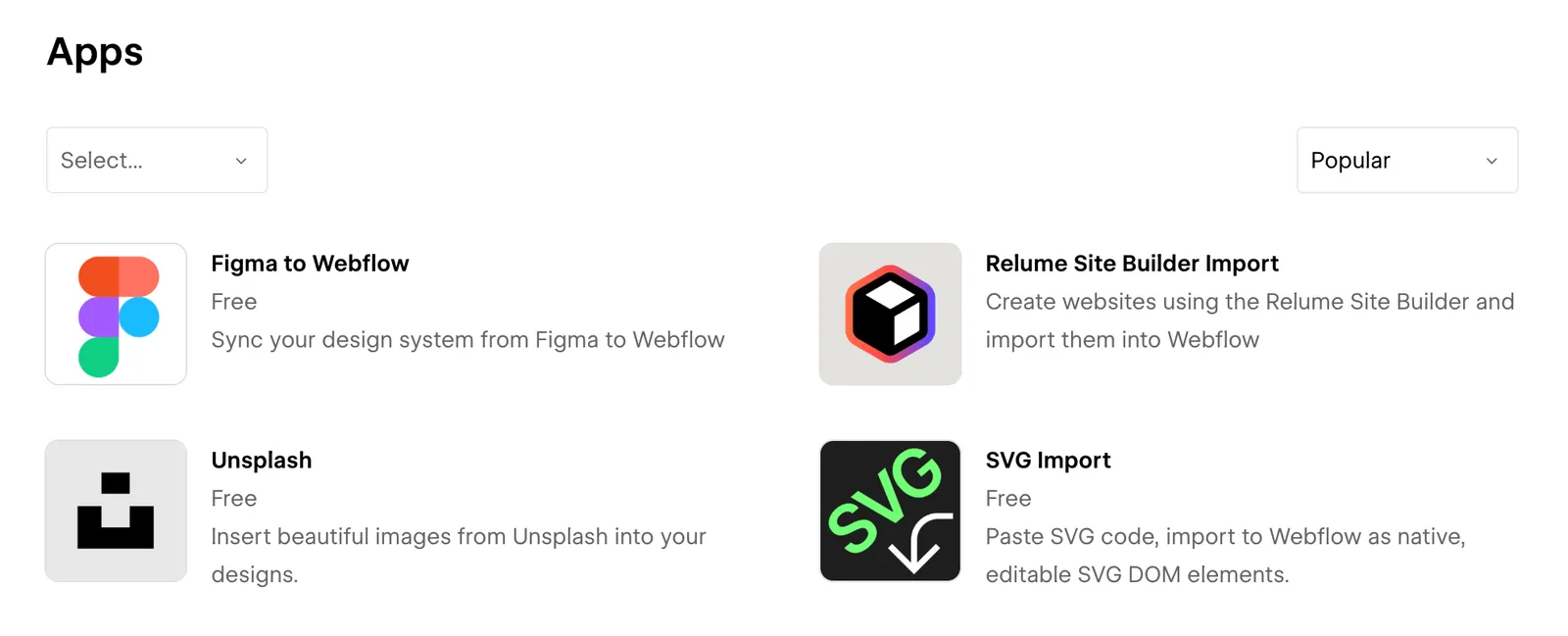
- Apps pane in the Webflow Designer - Where users can search and install apps while building
Marketplace
Designer
Marketplace listing
App detail page
When users click on your app in the Marketplace, they will see the app detail page. Here, you can additional information, including a long description, screenshots, and other information.
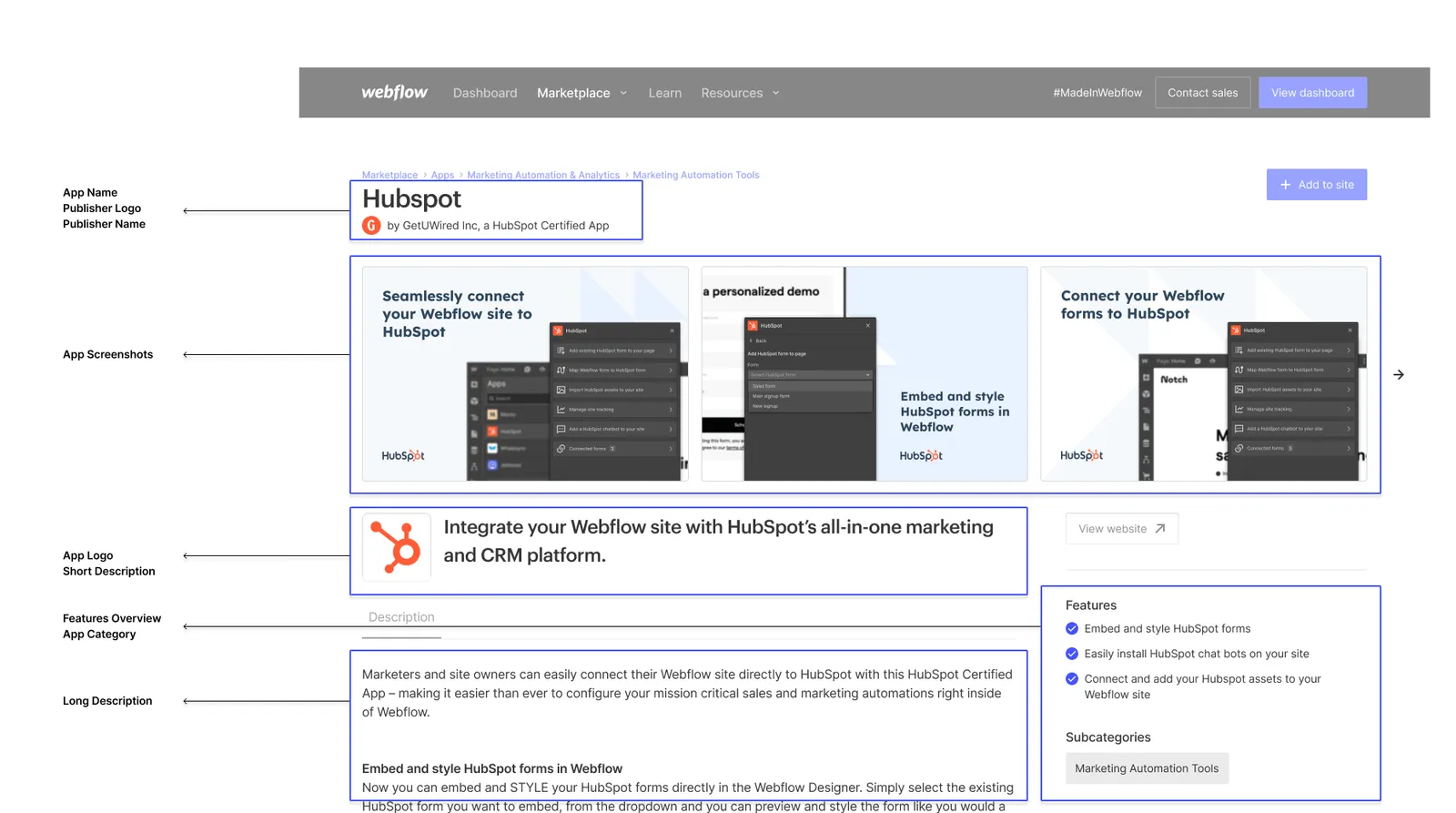
Required assets
Listing content is reviewed against the Marketplace Guidelines: descriptions must be accurate, and listed features must reflect what your app actually does. All listing content must be written in English — if your app’s user experience operates in a language other than English, your description must clearly state which language your app operates in. See Listing language.
Essential information
Clear user-facing documentation is a technical requirement for Marketplace apps. There’s no dedicated documentation field in the listing, so make your documentation easy to find from your app’s website and reference it in your long description. For complex features, pricing tiers, and in-app purchases, also document them for reviewers in your review notes and demo video.
Visual assets
Your publisher logo and name are inherited from your publishing Workspace. To change them, you’ll need to update your workspace name and logo in your workspace settings. Your Workspace name and icon are required, should meet the same branding and clarity standards as your Marketplace listing, and should match what users see on your listing — users should never see a different name or icon after installing your app than they saw when discovering it.
Categories
Select up to 5 categories that best describe your app’s functionality:
View Available Categories
When submitting your app, you may select up to 5 categories that best describe your app’s functionality. Choose categories that accurately reflect your app’s core features to help users find your solution more easily.
Best practices for your listing
Writing effective descriptions
Short description
- Focus on immediate value:
Clearly state how your app solves a specific problem or delivers value within the first few words - Use action-oriented language:
Begin with strong verbs that emphasize what users can accomplish with your app - Include the primary use case:
Highlight the main scenario where your app provides the most value to users
Long description
- Start with a clear overview:
Begin with 2-3 sentences that summarize your app’s purpose and main benefits - State your app’s operating language:
If your app’s user experience operates in a language other than English, say which language early in your description — the listing itself must be written in English - List key features and benefits:
Detail your app’s capabilities and how they translate to user advantages - Include setup requirements:
Specify any prerequisites, dependencies, or technical requirements - Add usage examples:
Provide real-world scenarios showing how users can implement your app - Reference documentation:
Point users to comprehensive guides, API docs, and support resources
Visual presentation
- Showcase primary workflows:
Include screenshots that demonstrate your app’s core features and workflows - Highlight unique features:
Focus on showcasing your app’s most distinctive capabilities - Ensure text is readable:
Make sure text is legible and readable in all screenshots - Use consistent styling:
Maintain a cohesive look across all screenshots
Updating your listing
To update your app listing:
- Go to the app submission form
- Select “App Update” as Submission Type
- Include your App Name or Client ID
- Provide only the information you want to update
Keep your listing current! Regular updates show active maintenance and can improve user trust.