
Authentication
Make authenticated requests to the Webflow API

This guide covers the options for authenticating requests to the Webflow API, including the different methods available and how to choose the best approach for your needs.
To access the Webflow API, you need to authenticate your requests using a bearer token, which must be included in the authorization header of each API request. There are types of bearer tokens you can create: Site Tokens and OAuth tokens. Each method is suited to different use cases, and choosing the right one depends on your specific needs.

Site Tokens provide a simple way to authenticate API requests for a specific Webflow site.
When to use
Best suited for internal tools and single-site integrations where you control the environment.

Workspace Tokens provide access for all sites in a Webflow Workspace.
When to use
Best suited for read-only uses, such as monitoring and auditing multiple sites.

OAuth Tokens are used for complex integrations that span multiple sites or require user-specific access.
When to use
Ideal for public integrations, Apps in the Webflow Marketplace, or any scenario requiring secure, user-specific access.
If you’re eager to explore the API without setting up full authentication, use our API playground available in the API reference. Authenticate once and make requests directly from the documentation.
Sending a request to the Webflow API v2 is straightforward. Include your bearer token in the Authorization header:
Replace YOUR_TOKEN with your actual API token. This setup authenticates your request, allowing access to Webflow resources.
To maintain the security of your integration, it’s important to revoke access tokens when they’re no longer needed or if you suspect they have been compromised. Revoking a token immediately invalidates it, ensuring that it can no longer be used to access the Webflow API.
You can revoke tokens programmatically through the Webflow API or manage them directly within the Webflow dashboard.
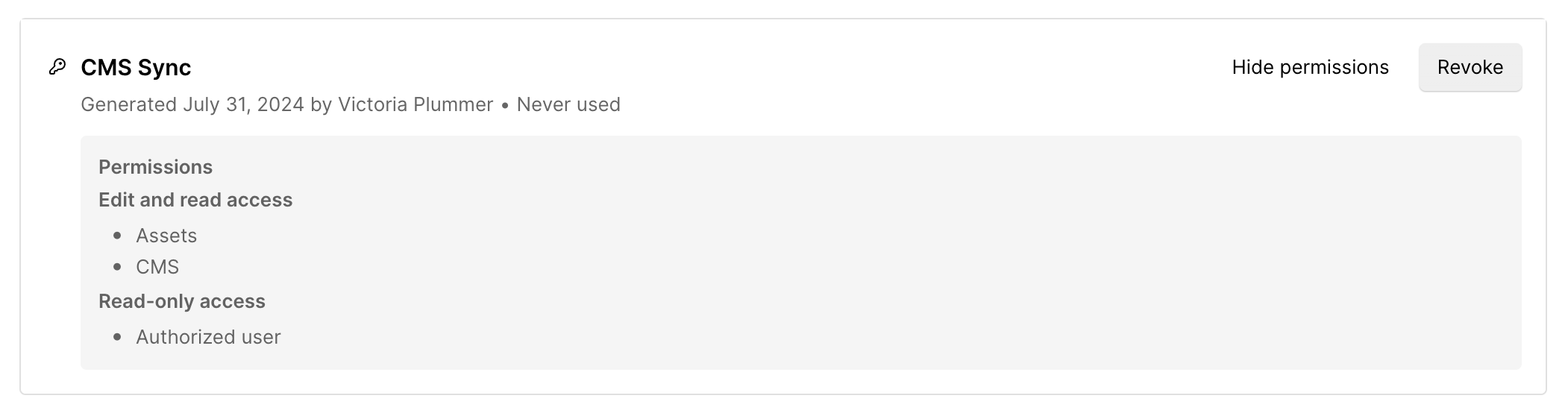
Webflow users can remove Site Tokens from the Site Settings. This ensures that unused tokens are securely revoked.
When working with the Webflow API, safeguarding your API tokens is critical to maintaining the security and integrity of your application. API tokens are like passwords for your application—they provide access to sensitive data and actions. Protecting them is essential to prevent unauthorized use and potential security breaches.
Despite best efforts, issues with API tokens can still occur. Here are common pitfalls and tips to resolve them:


