

Additional support for page branches
For branched pages, you can now use the isBranch and branchId parameters for additional details. These parameters are included in the following endpoint responses:
Workspace audit logs and improvements for Webflow Apps
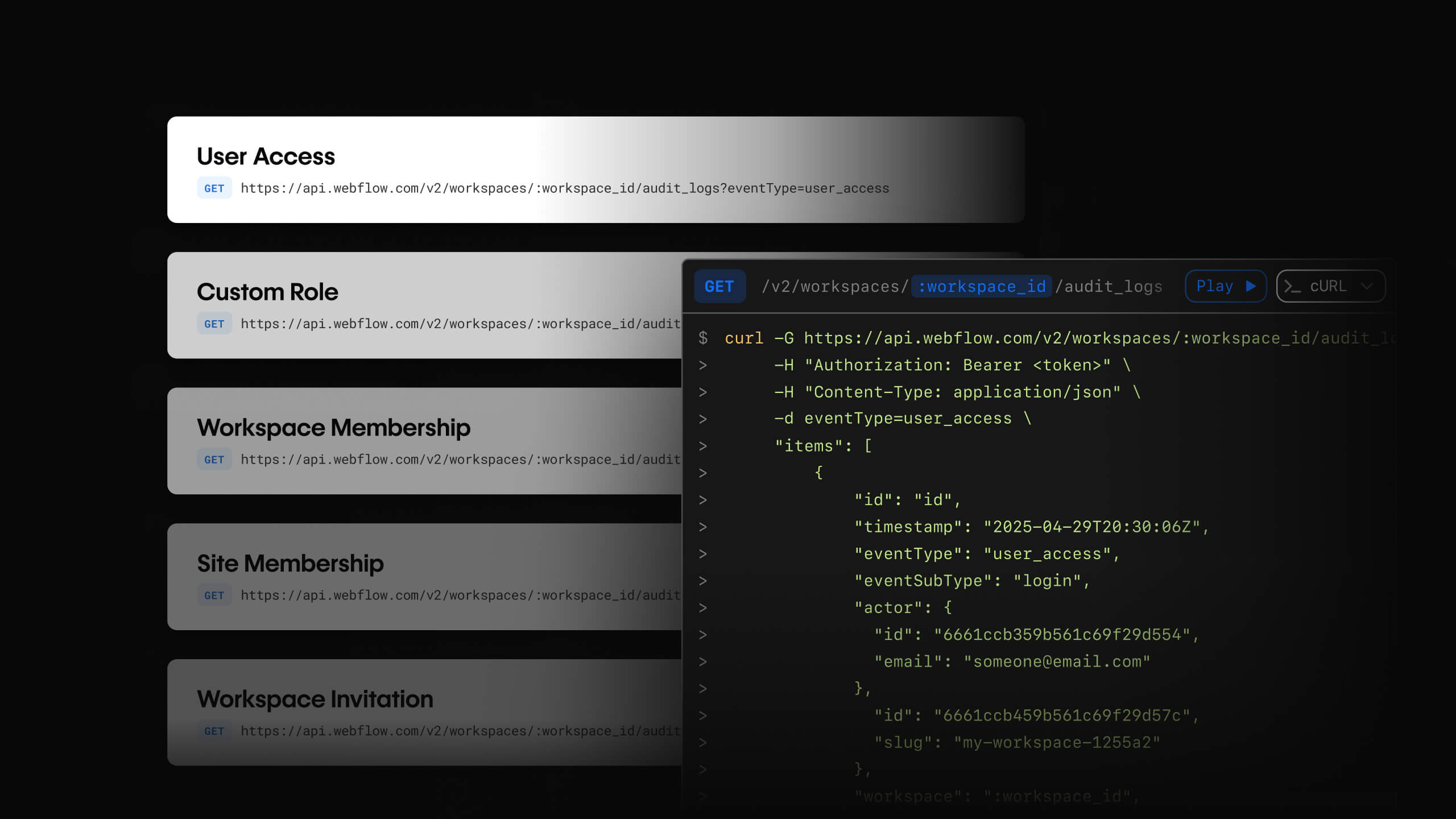
Introducing workspace audit logs
To enable better security and compliance monitoring, the Webflow Data API now supports workspace-level audit logs for enterprise customers. In combination with the existing site-level audit logs, teams now have a complete view of user activity across their organization.
Use the Workspace Audit Log API to track important user events, including:
- Login activity
- Custom role events
- Workspace membership events
- Site membership events
- Workspace invitations
This endpoint requires authentication with a Workspace API token
Localization support for additional elements
These updates enable you to localize more element types on a page. In addition to the existing support for text-based elements and component instances, you can now localize the following elements using the Page APIs:
- Select choices on a select element
- Placeholder text on a text input element
- Button text on submit and search buttons
Quality of life updatesWebflow Apps
Additionally, Webflow Apps now supports:
-
Inviting users to test apps
You can now invite external users to test your apps before publishing to the marketplace by simply providing their email address and a message. This feature addresses the previous limitation where in-development apps could only be installed within the registered workspace. -
Safeguarding app settings for marketplace apps
We’ve improved stability for marketplace apps by implementing safeguards against breaking changes. To protect both app developers and end users, certain critical setting changes for published apps now require re-approval through our update process. This ensures your users always have a consistent experience while giving you a controlled path to evolve your app’s capabilities. In your app settings modal, you’ll now see some disabled settings that require re-approval to make changes.These settings include:
- Adding a new building block (Designer or Data API)
- Changing app scopes
Support for combo classes
The Designer API now supports the creation of combo classes. Combo classes are a way to override the styles of an existing parent class. This is useful for creating unique variations of a style without having to create an entirely new class.
In the Designer API, you can now create combo classes using the createStyle method and passing an existing style to the parent property. For example, if you have a parent class called button and you want to create a new style that applies a different color for a specific button, you can do the following:
Form and asset methods
Additionally, the Designer API now supports the following methods for forms and assets:
Forms
Assets