

Variable Modes
Variable modes let you define multiple values for individual variables, creating distinct sets of values (“modes”) that can be switched and applied across a site.
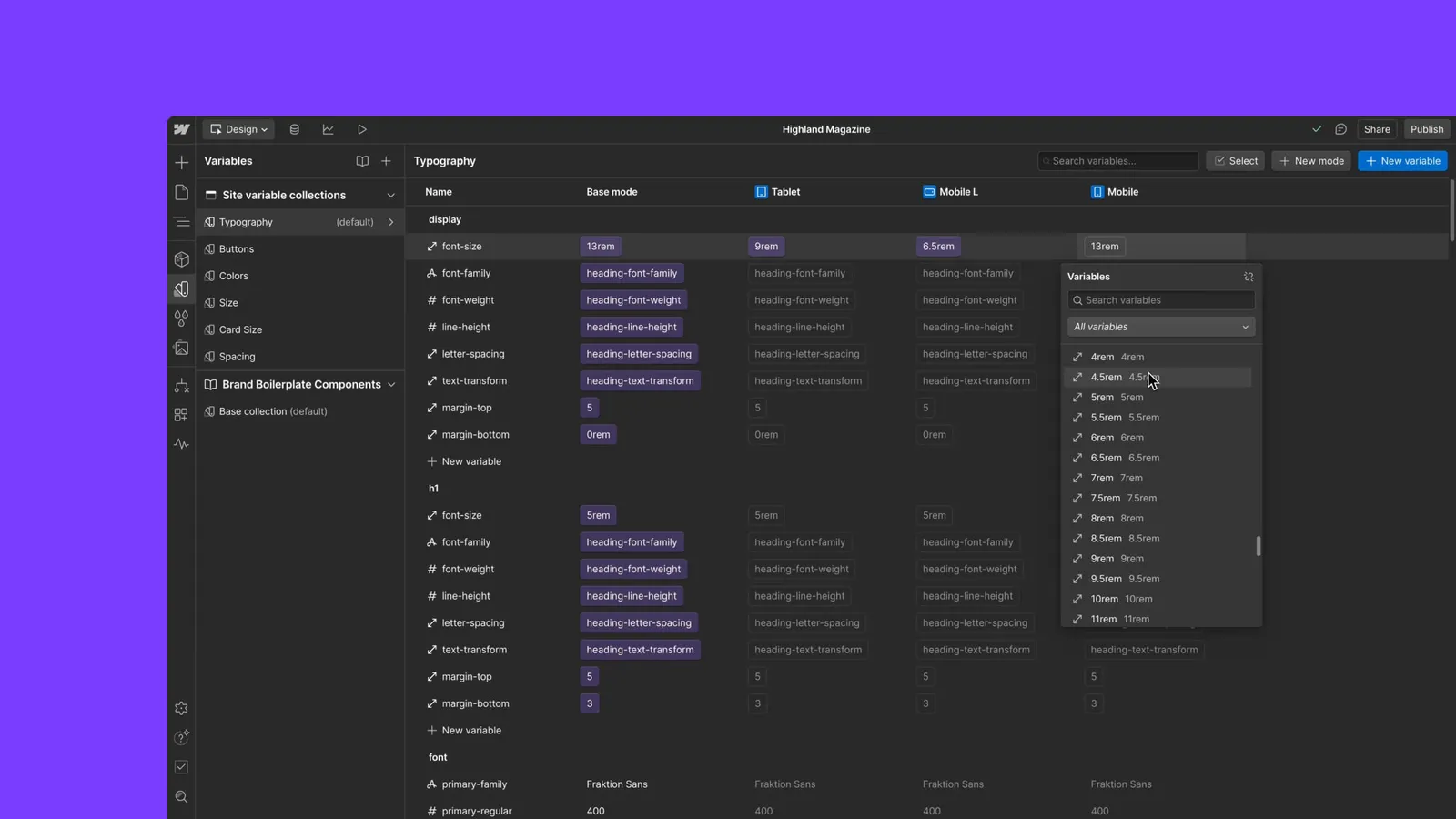
The base mode
Every collection has a base mode — the default set of values that variables fall back to when no other mode applies. It has the reserved ID "base" and, by default, the name "Base mode".
You can work with the base mode like any other mode:
- Retrieve it by its reserved ID with
collection.getVariableModeById("base"), or by its name withcollection.getVariableModeByName(). - Rename it with
mode.setName(). Its ID stays"base"even after it’s renamed. - Find it in the list returned by
collection.getAllVariableModes().
The base mode can’t be removed — calling mode.remove() on it rejects with a VariableModeInvalid error.
Create a variable mode
Create a variable mode for a specific collection using the collection.createVariableMode() method. You can create two types of variable modes:
- Manual modes are applied manually to elements or pages.
- Automatic modes are driven by a breakpoint and apply automatically at the matching screen size. Pass a
BreakpointIdwhen creating the mode.
Manage a mode’s breakpoint
Read the breakpoint that drives an existing mode with the mode.getBreakpoint() method, and change it with the mode.setBreakpoint() method. Use setBreakpoint to promote a manual mode to automatic, move an automatic mode to a different breakpoint, or demote it back to manual.
Set a mode-specific value on a variable
Once you’ve created a variable mode, you can set a mode-specific value on a variable using the variable.set() method.
To reset a mode-specific value back to the default base value, pass null when calling variable.set() along with the mode you want to reset.