

Typography
The typography system provides consistent text styling using variables to control size, spacing, and hierarchy.
The base typography variables define the fundamental text properties used throughout the project. These variables are inherited by the default Paragraph, Text elements, and Body tag.
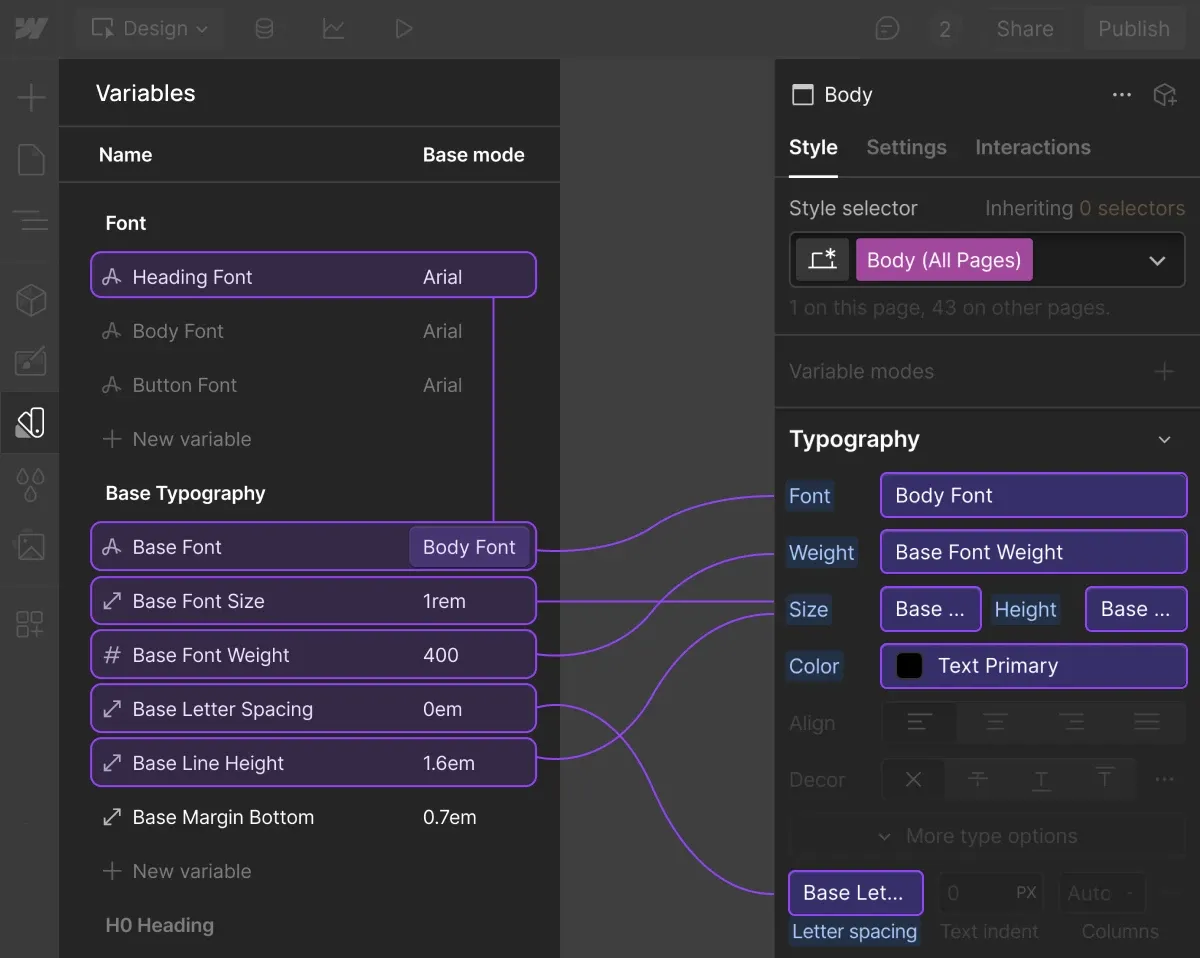
Font Family
Font family is applied to text element through the variable. To update the font, make changes in the Variables panel.
Headings
Headings tags and classes are sharing the same varables. It helps keep them sync and manage style through the variables panel.
Here’s how variables are applied to the H1 Heading and All H1 Heading tag:
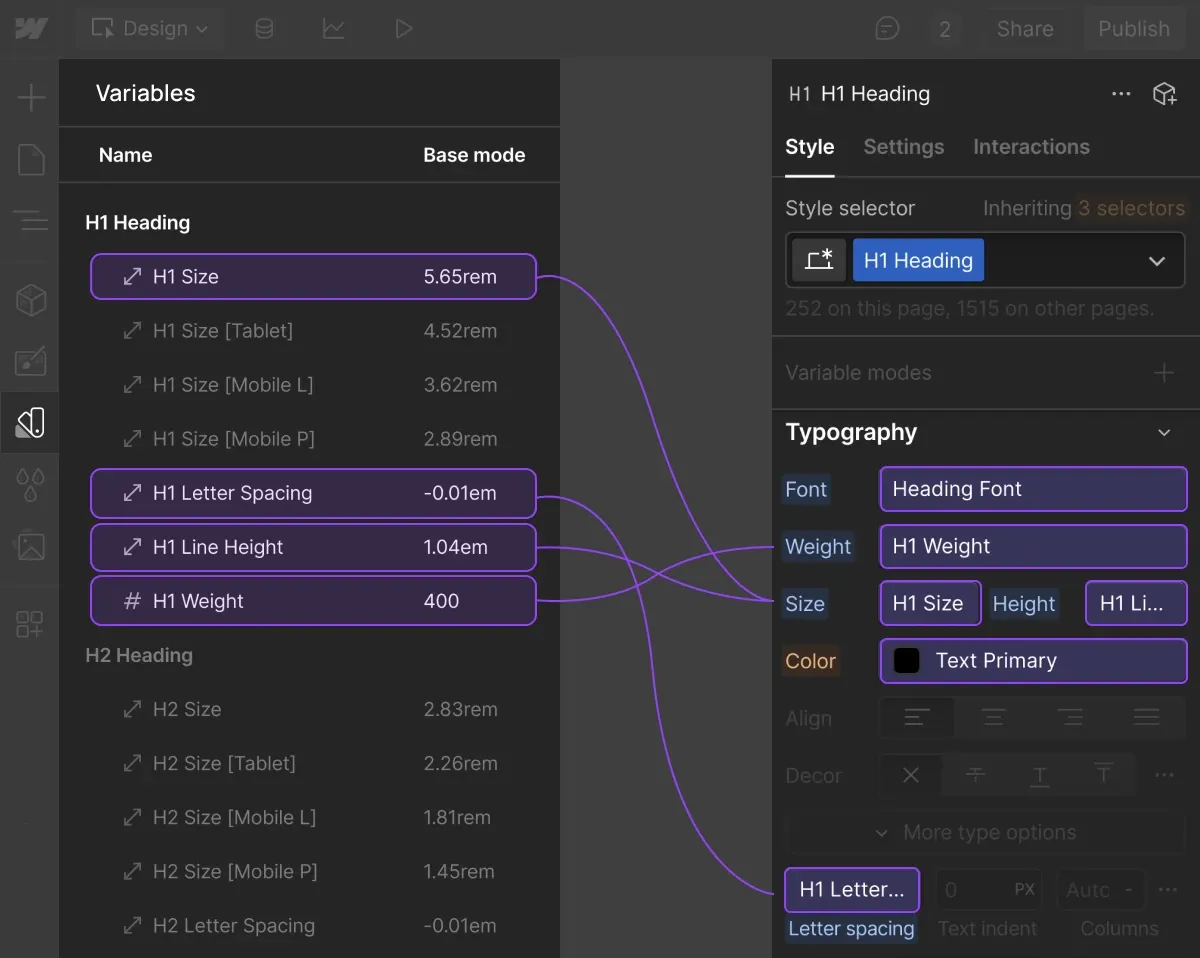
Each heading level has its own responsive variables for different breakpoints, following the same pattern.
For consistency across the site, Flowkit uses the Subheading class to accompany headings. It works with any text element and automatically inherits its color, applying a transparent tint:
Paragraph
Similar to headings, All Paragraphs selector, Paragraph class, and its size variations properties controlled through related text variables.
Available paragraph sizes:
- All Paragraphs
- Paragraph (default)
- Paragraph SM
- Paragraph LG
- Paragraph XL
- Paragraph XXL
Default Spacing
Headings and paragraphs have default bottom spacing applied via variables. For example, the H1 Heading and All H1 Heading use the variable H1 Margin Bottom The same pattern applies to paragraphs using Base Margin Bottom.
See the full list of margin utilities here.
Utility classes
Also check how to use utility classes to override the default behavior of typography classes:
Best Practices
- Use variables for consistency — Modify variables when possible instead of creating custom styles.
- Choose appropriate sizes — Use Paragraph SM for small text, Paragraph LG / XL / XXL for emphasis.
- Maintain readability — Ensure text remains readable at all screen sizes.
- Preserve hierarchy — Maintain clear distinction between headings and paragraph text.
- Semantic order — Keep the hierarchy in tag usage (e.g.,
h1>h2>h3>p). - One H1 tag per page — Only one
h1tag per page. If you need multiple visually styled H1s, apply the H1 Heading class instead.